Contents
Security overview and big screen
Open Security Center and start with three pages.
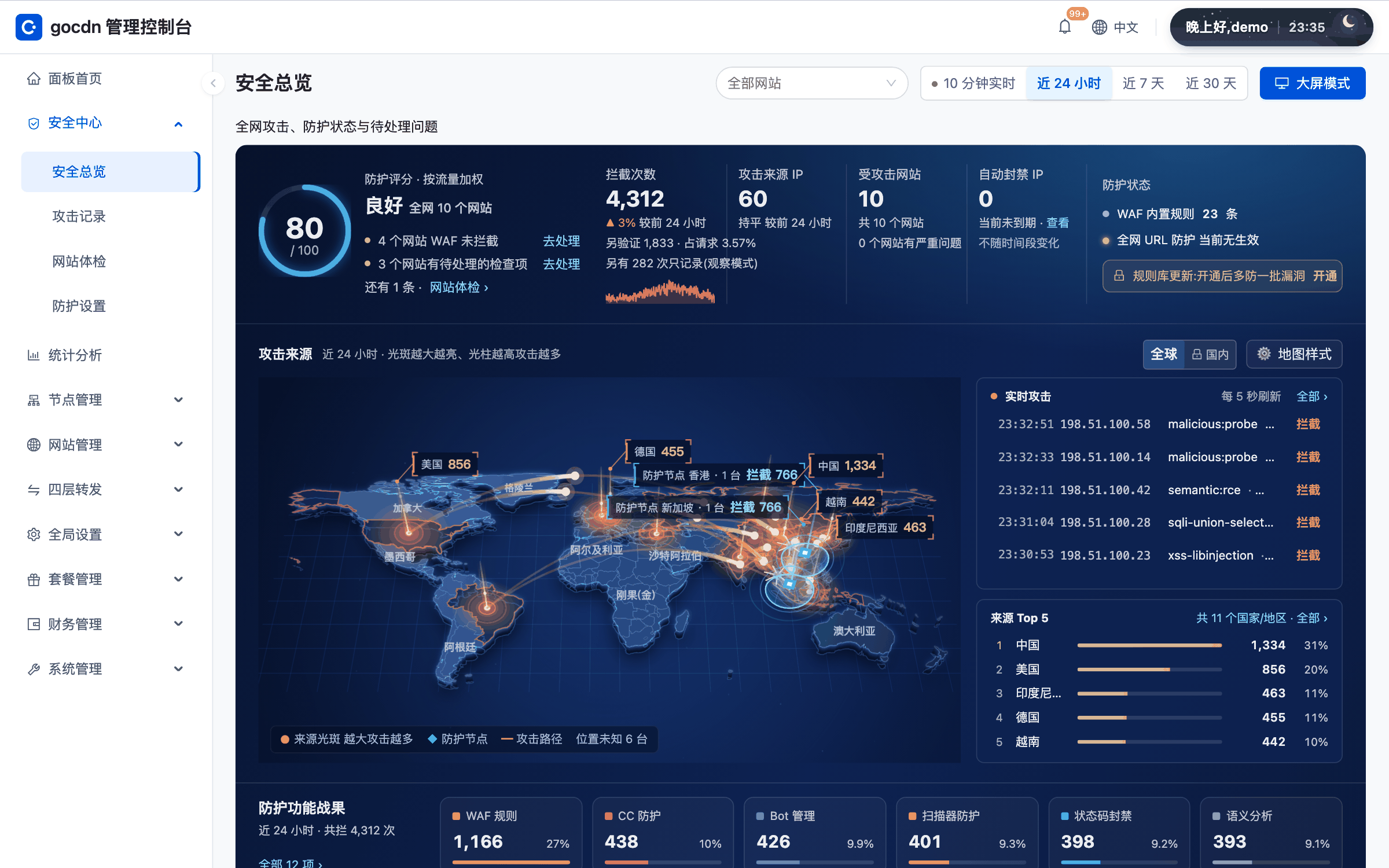
Security Overview
Security Center › Security Overview sums up recent blocks, attack sources and protection status. It is the first stop every day. The page lists items that need attention, for example a site with a low CC level, or a CC level that did not take effect against attacks in the last 7 days; click an item to jump to the setting.
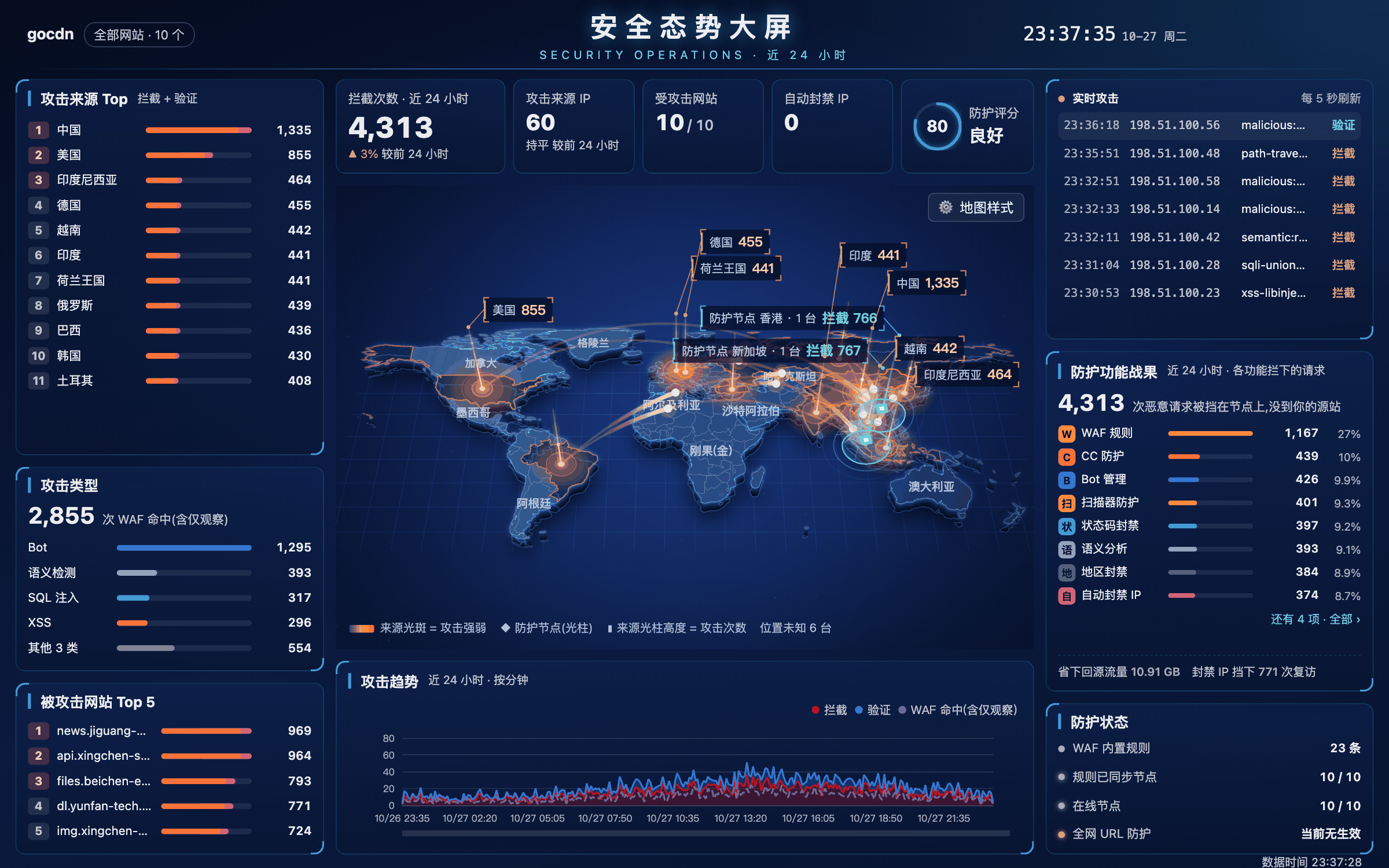
Security posture big screen
The big-screen mode in Security Overview shows the protection score, block and source metrics, an attack-source map and live attacks on one screen, suited to a duty-room wall. It needs a wide display.
Site check
Security Center › Site Check examines each site's security configuration one by one, for example whether a certificate is bound, whether old TLS versions are still in use, and whether the origin can be reached directly around the CDN. Each problem comes with "View fix", and some items can be fixed in one click.
When you spot an attack, open the attack log for details.